

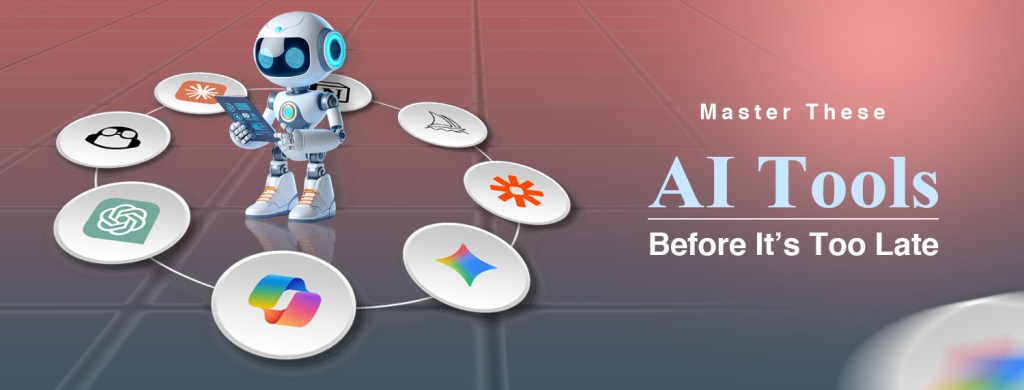
Introduction: The New Literacy of the AI Era
In 2026, artificial intelligence is no longer a niche skill—it is a baseline competency. Just as knowing how to use a computer defined employability in the early 2000s, knowing how to leverage AI tools now defines relevance in modern workflows. What makes this shift particularly significant is not just the existence of AI, but its integration into everyday systems: writing, coding, design, communication, research, and even decision-making. The professionals who thrive are not necessarily those who understand AI theoretically, but those who can operationalize it—who can translate intent into output using the right tools at the right moment.
This article is designed to bridge that gap. Whether you are a beginner exploring AI for the first time or a professional aiming to sharpen your competitive edge, the following eight tools represent the core infrastructure of productivity, creativity, and innovation in 2026.
1. ChatGPT – The Universal AI Interface
ChatGPT has evolved into what can only be described as the operating system of human-AI interaction. It is no longer just a chatbot—it is a multimodal, multi-capability assistant that can write, code, analyze data, generate images, and even execute tasks across integrated tools. Its strength lies in its versatility; it functions as a general-purpose AI layer that adapts to nearly any domain.
What makes ChatGPT essential to learn is not just what it does, but how it changes the way we think about work. Instead of performing tasks manually, users now orchestrate outcomes. For example, a web designer can generate UI copy, debug frontend code, and brainstorm UX improvements—all within a single conversational workflow. A student can transform complex academic material into structured summaries, quizzes, and visual explanations in minutes.
Practically, mastering ChatGPT means mastering prompting, context management, and iterative refinement. The difference between a beginner and an expert is not access to the tool—it is the ability to extract high-quality outputs consistently.
2. Claude – Deep Thinking and Long-Context Intelligence
Claude represents the evolution of AI toward depth rather than speed. While many tools excel at quick outputs, Claude specializes in handling large, complex inputs—entire documents, books, or codebases—thanks to its massive context window.
This capability transforms workflows in research-heavy and professional environments. Legal analysts use Claude to review contracts, developers analyze entire repositories, and content creators refine long-form writing with coherence and nuance. Its outputs are often more structured, more cautious, and less prone to hallucination compared to other systems.
Learning Claude is less about quick prompts and more about strategic thinking. It shines when you feed it complexity and ask it to reason, critique, or synthesize. For professionals dealing with dense information, this tool is not optional—it is transformative.
3. Google Gemini – The Productivity Integrator
Gemini is not just an AI model—it is an ecosystem amplifier. Deeply embedded into Google Workspace, it operates inside Gmail, Docs, Sheets, and Drive, effectively turning everyday tools into intelligent systems.
The real value of Gemini lies in contextual intelligence. Imagine drafting an email where the AI already understands previous conversations, documents, and data relevant to the thread. Or generating a spreadsheet analysis that aligns with your existing datasets without manual input. This level of integration reduces friction between thinking and execution.
For teams and organizations, learning Gemini is about workflow optimization. It eliminates repetitive tasks, accelerates communication, and introduces a layer of intelligence into routine operations that were previously manual.
4. Microsoft Copilot – AI Inside Your Daily Work Tools
Microsoft Copilot embeds AI directly into professional environments—Word, Excel, PowerPoint, and Teams—making it one of the most practical tools for enterprise productivity.
Its impact is particularly evident in data-driven workflows. In Excel, Copilot can analyze datasets, generate insights, and even suggest visualizations without requiring advanced formulas. In PowerPoint, it can transform a simple prompt into a complete presentation. In Teams, it summarizes meetings and extracts actionable insights automatically.
Learning Copilot is about augmenting your existing skillset rather than replacing it. It allows professionals to operate at a higher level of abstraction, focusing on decisions rather than mechanics.
5. Midjourney – The Creative Engine for Visual Content
Midjourney represents the creative frontier of AI. It enables users to generate high-quality, artistic images from textual descriptions, making it indispensable for designers, marketers, and content creators.
The importance of Midjourney lies in its ability to compress the creative process. What once required hours of design work can now be prototyped in minutes. A brand designer can generate multiple logo concepts instantly, while a marketer can create campaign visuals tailored to specific audiences.
However, mastering Midjourney is not trivial. It requires an understanding of prompt engineering, style control, and iterative refinement. The users who excel are those who treat it not as a shortcut, but as a collaborative creative partner.
6. GitHub Copilot – The Developer’s Second Brain
GitHub Copilot has redefined software development by acting as an intelligent coding partner. It suggests code, completes functions, and even generates entire modules based on natural language descriptions.
The impact of Copilot is measurable. Developers spend less time on boilerplate code and more time on architecture and problem-solving. It accelerates learning for beginners while enhancing productivity for experienced engineers.
From a practical standpoint, learning Copilot means understanding how to guide it effectively—writing clear prompts, validating outputs, and integrating suggestions into robust systems. It does not replace developers; it amplifies them.
7. Notion AI – The Knowledge and Workflow Hub
Notion AI transforms note-taking and project management into an intelligent system. It combines organization with generation, allowing users to create, summarize, and manage content within a single workspace.
The real power of Notion AI lies in its ability to act as a “second brain.” It stores knowledge, structures ideas, and assists in content creation simultaneously. For example, a business owner can manage tasks, generate reports, and document strategies all within one environment.
Learning Notion AI is about building systems, not just using features. It is particularly valuable for individuals who manage complex workflows or large volumes of information.
8. Zapier – The Automation Backbone
Zapier represents a different category of AI tool—automation. It connects thousands of applications and allows users to create workflows that run automatically without manual intervention.
In 2026, automation is no longer optional. Businesses rely on it to scale operations, reduce costs, and eliminate repetitive tasks. For instance, a marketing workflow can automatically collect leads, send emails, update CRM systems, and generate reports—all without human input.
Learning Zapier is about thinking in systems. It requires understanding processes, identifying inefficiencies, and designing workflows that operate autonomously. When combined with AI assistants, it becomes a powerful force multiplier.
Conclusion: The Real Skill Is Not the Tool—It’s the Strategy
The rapid evolution of AI tools has created a paradox: while there are more tools than ever, the real advantage comes from mastering a focused set rather than chasing every new release. The eight tools outlined here are not just tools—they are foundational layers of the modern digital workflow.
The professionals who will dominate in 2026 are not those who use AI occasionally, but those who integrate it deeply into how they think, create, and solve problems. If you learn how to combine these tools—using ChatGPT for ideation, Claude for depth, Copilot for execution, and Zapier for automation—you are not just keeping up; you are building a competitive system.
The question is no longer whether you should learn AI tools. The real question is: how long can you afford not to?
أتقن أدوات الذكاء الاصطناعي هذه قبل فوات الأوان
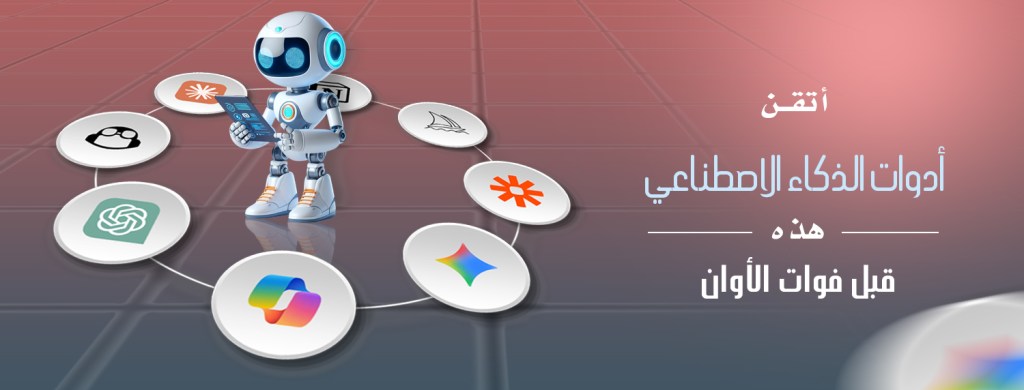
مقدمة: المعرفة الجديدة في عصر الذكاء الاصطناعي
في عام 2026 لم يعد الذكاء الاصطناعي مهارة متخصصة بل أصبح كفاءة أساسية، فكما كان إتقان استخدام الحاسوب معياراً للتوظيف في أوائل الألفية فإن معرفة كيفية الاستفادة من أدوات الذكاء الاصطناعي تُحدد اليوم أهمية العمل في بيئات العمل الحديثة، إذ لا يقتصر الأمر على وجود الذكاء الاصطناعي فحسب بل يتعداه إلى دمجه في الأنظمة اليومية: الكتابة والبرمجة والتصميم والتواصل والبحث وحتى اتخاذ القرارات، فالمحترفون الناجحون ليسوا بالضرورة من يفهمون الذكاء الاصطناعي نظرياً بل من يستطيعون تطبيقه عملياً أي من يستطيعون تحويل النوايا إلى نتائج باستخدام الأدوات المناسبة في الوقت المناسب
تهدف هذه المقالة إلى سد هذه الفجوة سواء كنت مبتدئاً تستكشف الذكاء الاصطناعي لأول مرة أو محترفاً تسعى إلى تعزيز ميزتك التنافسية فإن الأدوات الثمانية التالية تُمثل البنية التحتية الأساسية للإنتاجية والإبداع والابتكار في عام 2026
واجهة الذكاء الاصطناعي الشاملة – ChatGPT .1
ليصبح ما يُمكن وصفه بنظام تشغيل التفاعل ChatGPT تطور
بين الإنسان والذكاء الاصطناعي، فلم يعد مجرد روبوت محادثة بل أصبح مساعداً متعدد الوسائط والقدرات قادراً على الكتابة والبرمجة وتحليل البيانات وإنشاء الصور بل وتنفيذ المهام عبر أدوات متكاملة، تكمن قوته في تنوعه فهو يعمل كطبقة ذكاء اصطناعي عامة الأغراض تتكيف مع أي مجال تقريباً
ضرورياً ليس فقط ما يفعله ChatGPT ما يجعل تعلم
بل كيف يغير طريقة تفكيرنا في العمل، فبدلاً من أداء المهام يدوياً أصبح المستخدمون الآن يُنسقون النتائج، فعلى سبيل المثال يستطيع مصمم مواقع الويب إنشاء نصوص واجهة المستخدم وتصحيح أخطاء كود الواجهة الأمامية وتبادل الأفكار لتحسين تجربة المستخدم وكل ذلك ضمن سير عمل حواري واحد، يستطيع الطالب تحويل المواد الأكاديمية المعقدة إلى ملخصات منظمة واختبارات وشروحات مرئية في دقائق
يعني إتقان التوجيه وإدارة السياق والتحسين المستمر ChatGPT عملياً إتقان
فالفرق بين المبتدئ والخبير ليس في الوصول إلى الأداة بل في القدرة على استخراج مخرجات عالية الجودة باستمرار
التفكير العميق والذكاء السياقي الممتد – Claude .٢
يمثل كلود تطوراً في مجال الذكاء الاصطناعي نحو العمق بدلاً من السرعة، فبينما تتفوق العديد من الأدوات في سرعة الإخراج يتخصص كلود في معالجة المدخلات الكبيرة والمعقدة – كالمستندات الكاملة والكتب وقواعد البيانات البرمجية – بفضل نافذة السياق الواسعة التي يوفرها
تُحدث هذه القدرة تحولاً جذرياً في سير العمل في بيئات البحث المكثفة والبيئات المهنية، إذ يستخدم المحللون القانونيون كلود لمراجعة العقود ويحلل المطورون المستودعات بأكملها ويُحسّن منشئو المحتوى كتاباتهم المطولة بأسلوب متماسك ودقيق، وغالباً ما تكون مخرجاته أكثر تنظيماً ودقة وأقل عرضة للتشويش مقارنةً بالأنظمة الأخرى
لا يقتصر تعلم كلود على الاستجابة السريعة فحسب بل يتعداه إلى التفكير الاستراتيجي، يتألق كلود عند تزويده بمعلومات معقدة وطلب منه الاستدلال والنقد والتركيب، فبالنسبة للمهنيين الذين يتعاملون مع معلومات كثيفة لا يُعد هذا البرنامج خياراً بل هو أداة تحويلية
مُكامل الإنتاجية – Google Gemini .٣
جيميني ليس مجرد نموذج ذكاء اصطناعي بل هو مُعزز للنظام البيئي
Google Workspace المدمج بعمق في Gemini يعمل
Gmail و Docs و Sheets و Drive داخل
محولاً الأدوات اليومية إلى أنظمة ذكية
تكمن القيمة الحقيقية لهذه الأداة في الذكاء السياقي، تخيل كتابة بريد إلكتروني حيث يفهم الذكاء الاصطناعي مسبقاً المحادثات والمستندات والبيانات السابقة ذات الصلة، أو إنشاء تحليل لجدول بيانات يتوافق مع مجموعات البيانات الموجودة لديك دون تدخل يدوي، فيقلل هذا المستوى من التكامل من العوائق بين التفكير والتنفيذ
بالنسبة للفرق والمؤسسات، يُعنى تعلم جيمني بتحسين سير العمل، فهو يُلغي المهام المتكررة ويُسرّع التواصل ويُضيف طبقة من الذكاء إلى العمليات الروتينية التي كانت تُنفذ يدوياً
الذكاء الاصطناعي في أدوات عملك اليومية – Microsoft Copilot .4
الذكاء الاصطناعي مباشرةً Microsoft Copilot يُدمج
Word و Excel و PowerPoint و Teams في بيئات العمل الاحترافية
مما يجعله أحد أكثر الأدوات العملية لزيادة إنتاجية المؤسسات ويظهر تأثيره جلياً في سير العمل القائم على البيانات
تحليل مجموعات البيانات Copilot في برنامج إكسل يُمكن لبرنامج
واستخلاص الرؤى وحتى اقتراح الرسوم البيانية دون الحاجة إلى معادلات متقدمة
وفي برنامج باوربوينت يُمكنه تحويل أي طلب بسيط إلى عرض تقديمي متكامل
فيُلخّص الاجتماعات ويستخلص الرؤى القابلة للتنفيذ تلقائياً Teams أما في برنامج
يُعنى بتعزيز مهاراتك الحالية لا استبدالها Copilot إن تعلم برنامج
فهو يُتيح للمحترفين العمل بمستوى أعلى من التفكير التحليلي والتركيز على اتخاذ القرارات بدلاً من التركيز على الجوانب التقنية
المحرك الإبداعي للمحتوى المرئي – Midjourney .٥
يمثل ميدجورني أحدث ما توصل إليه الذكاء الاصطناعي في مجال الإبداع، فهو يمكّن المستخدمين من إنشاء صور فنية عالية الجودة انطلاقاً من الأوصاف النصية مما يجعله أداة لا غنى عنها للمصممين والمسوقين ومنشئي المحتوى
تكمن أهمية ميدجورني في قدرته على اختصار العملية الإبداعية، فما كان يتطلب ساعات من العمل التصميمي أصبح بالإمكان الآن إنشاء نماذج أولية له في دقائق، فيستطيع مصمم العلامة التجارية إنشاء العديد من مفاهيم الشعارات فوراً بينما يستطيع المسوق إنشاء صور حملات إعلانية مصممة خصيصاً لجمهور محدد
مع ذلك فإن إتقان ميدجورني ليس بالأمر الهين فهو يتطلب فهماً للهندسة السريعة والتحكم في الأسلوب والتحسين المستمر فالمستخدمون المتميزون هم أولئك الذين لا يتعاملون معه كطريق مختصر بل كشريك إبداعي تعاوني
العقل الثاني للمطور – GitHub Copilot .٦
تعريف تطوير البرمجيات GitHub Copilot أعاد
من خلال العمل كشريك برمجة ذكي، فهو يقترح التعليمات البرمجية ويكمل الوظائف بل وينشئ وحدات كاملة بناءً على أوصاف اللغة الطبيعية
عملية التعلم للمبتدئين Copilot تأثير
ويعزز إنتاجية المهندسين ذوي الخبرة
من الناحية العملية يعني تعلم هذه الأداة فهم كيفية استخدامه بفعالية من خلال كتابة تعليمات واضحة والتحقق من صحة المخرجات ودمج الاقتراحات في أنظمة متينة
محل المطورين بل يُعزز دورهم Copilot إذاً لا يحل
مركز المعرفة وسير العمل – Notion AI .7
تدوين الملاحظات وإدارة المشاريع إلى نظام ذكي Notion AI يُحوّل
فهو يجمع بين التنظيم والتوليد مما يسمح للمستخدمين بإنشاء المحتوى وتلخيصه وإدارته ضمن مساحة عمل واحدة
Notion AI تكمن القوة الحقيقية لـ
في قدرته على العمل كـ “عقل ثانٍ”، فهو يخزن المعرفة وينظم الأفكار ويساعد في إنشاء المحتوى في آنٍ واحد، فعلى سبيل المثال يمكن لصاحب العمل إدارة المهام وإنشاء التقارير وتوثيق الاستراتيجيات كل ذلك ضمن بيئة واحدة
إن تعلم برنامج هذا البرنامج يدور حول بناء الأنظمة وليس مجرد استخدام الميزات، وهو ذو قيمة خاصة للأفراد الذين يديرون سير عمل معقد أو كميات كبيرة من المعلومات
العمود الفقري للأتمتة – Zapier .٨
مختلفة من أدوات الذكاء الاصطناعي Zapier يمثل
ألا وهي الأتمتة
فهو يربط آلاف التطبيقات ويتيح للمستخدمين إنشاء عمليات سير عمل تعمل تلقائياً دون تدخل بشري
في عام ٢٠٢٦ لم تعد الأتمتة خياراً بل ضرورة حتمية، إذ تعتمد الشركات عليها لتوسيع نطاق عملياتها وخفض التكاليف والتخلص من المهام المتكررة، فعلى سبيل المثال يمكن لعملية سير عمل تسويقية جمع بيانات العملاء المحتملين وإرسال رسائل البريد الإلكتروني
(CRM) وتحديث أنظمة إدارة علاقات العملاء
وإنشاء التقارير تلقائياً كل ذلك دون تدخل بشري
Zapier يتطلب تعلم
التفكير المنهجي وفهم العمليات وتحديد أوجه القصور وتصميم عمليات سير عمل تعمل بشكل مستقل
وعند دمجه مع مساعدي الذكاء الاصطناعي
أداة فعّالة للغاية Zapier يصبح
الخلاصة: المهارة الحقيقية ليست في الأداة بل في الاستراتيجية
أدى التطور السريع لأدوات الذكاء الاصطناعي إلى مفارقة: فبينما يوجد اليوم عدد أكبر من الأدوات تكمن الميزة الحقيقية في إتقان مجموعة محددة منها بدلاً من ملاحقة كل إصدار جديد، فالأدوات الثمانية المذكورة هنا ليست مجرد أدوات بل هي ركائز أساسية لسير العمل الرقمي الحديث لن يكون المحترفون الذين سيسيطرون على المشهد في عام ٢٠٢٦ هم من يستخدمون الذكاء الاصطناعي بشكل متقطع بل من يدمجونه بعمق في طريقة تفكيرهم وإبداعهم وحلهم للمشاكل، إذا تعلمت كيفية دمج هذه الأدوات
لتوليد الأفكار ChatGPT باستخدام
للتعمق في التفاصيل Claude و
للتنفيذ Copilot و
للأتمتة Zapier و
فلن تكتفي بمواكبة التطورات بل ستبني نظاماً تنافسياً
لم يعد السؤال هو ما إذا كان عليك تعلم أدوات الذكاء الاصطناعي، بل السؤال الحقيقي هو: إلى متى يمكنك التغاضي عن ذلك؟

