

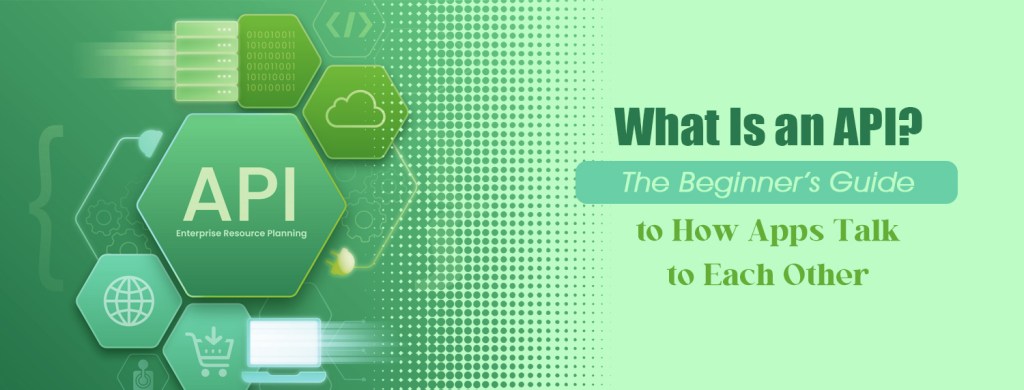
You Use APIs Every Day Without Realizing It
Imagine opening a weather app on your phone. You type in your city, and within seconds you see the current temperature, humidity, wind speed, and forecast. But where did that information come from?
The weather app probably does not have its own network of weather stations scattered around the world. Instead, it communicates with a service that collects and provides weather data. The app sends a request, the service processes it, and the relevant information comes back to the app.
That communication often happens through something called an API, short for Application Programming Interface.
The name sounds intimidating, but the underlying idea is surprisingly simple. An API is a structured way for one piece of software to request information or perform an action using another piece of software. It acts as a bridge between systems that need to communicate without requiring one system to understand all the internal details of the other.
Once you understand this basic concept, a huge part of modern technology becomes easier to understand. Websites, mobile applications, payment systems, maps, social networks, cloud platforms, and even many artificial intelligence tools depend heavily on APIs.
Think of an API Like a Restaurant Waiter
One of the easiest ways to understand an API is to imagine yourself sitting in a restaurant.
You look at the menu and decide what you want. You tell the waiter your order. The waiter takes that request to the kitchen, where the food is prepared. The waiter then brings the finished meal back to you.
You do not walk into the kitchen and start cooking the food yourself. You simply communicate what you want through the waiter.
An API works in a similar way.
Your application is the customer. The API is the waiter. The server or service providing the information is the kitchen.
Your application sends a request through the API. The server processes that request and sends a response back through the API.
The important detail is that your application does not need to know how the other system works internally. It only needs to know how to communicate with its API.
That separation is one of the reasons APIs are so powerful.
What Actually Happens When You Use an API?
Let’s make this more concrete.
Suppose you are building a simple weather application. You want users to enter a city and receive the current temperature.
Your application could send a request to a weather API asking for information about New York.
Conceptually, the request might look something like this:
GET /weather?city=NewYork
The weather service receives the request, finds the relevant information, and sends a response.
A simplified response could look like this:
{ "city": "New York", "temperature": 24, "condition": "Sunny"}
Your application then takes this information and turns it into something visually attractive:
New York
24°C
Sunny
The user sees a simple weather interface. Behind the scenes, however, several systems have communicated with each other.
This is one of the fundamental patterns behind modern software.
APIs Are Not Just About Getting Data
A common beginner misconception is that APIs are simply tools for retrieving information.
They can certainly retrieve information, but they can also allow applications to create, update, or delete information and perform various operations.
Imagine an online shopping application. It might use APIs to retrieve product information, create a new customer account, add an item to a shopping cart, submit an order, process a payment, and retrieve shipping information.
The API defines how these interactions should happen.
For example, an application might send:
GET /products
to retrieve products.
It might use:
POST /orders
to create a new order.
It could use:
PUT /profile
to update a customer’s profile.
And it might use:
DELETE /cart/item/123
to remove an item from a shopping cart.
These examples use HTTP methods that developers encounter constantly when working with web APIs.
What Is a REST API?
If you have spent even a little time reading about APIs, you have probably encountered the term REST.
REST stands for Representational State Transfer. It is an architectural style for designing networked applications.
In everyday software development, the phrase “REST API” commonly refers to an API that exposes resources through HTTP endpoints and uses standard HTTP methods such as GET, POST, PUT, PATCH, and DELETE.
Consider a hypothetical website containing information about books.
You might have an endpoint such as:
GET /books
to retrieve all books.
You could request:
GET /books/25
to retrieve book number 25.
A new book might be created with:
POST /books
while an existing book could be updated through:
PUT /books/25
The exact implementation varies between APIs, but the underlying idea is that different URLs and HTTP operations represent different interactions with resources.
REST became extremely popular because it works naturally with the technologies already used by the web.
Why Does JSON Appear Everywhere?
When applications communicate through APIs, they need a common format for exchanging information.
One of the most common formats is JSON, which stands for JavaScript Object Notation.
Despite the name, JSON is not limited to JavaScript. It is widely supported by programming languages across the software industry.
A JSON response might look like this:
{ "name": "Sarah", "age": 29, "country": "Canada"}
A programmer can easily read this structure and process it inside an application.
For example, a website could receive the JSON response and display:
Sarah
Age: 29
Country: Canada
This separation between data and presentation is extremely useful. The API can provide structured information while the application decides how that information should appear to the user.
APIs Are Behind Many Features You Already Know
Think about logging into a website using your Google account.
The website does not need to create an entirely independent identity system from scratch. It can integrate with Google’s authentication services through established technologies and APIs.
Think about ordering a ride through a transportation application. The application may need maps, location services, payment processing, notifications, and other external systems.
Think about buying something online with a credit card. The store may communicate with a payment provider through an API rather than building an entire payment infrastructure itself.
Think about an application displaying a map. Instead of developing global mapping infrastructure from zero, developers can integrate mapping services through APIs.
Modern software is therefore less like one enormous program and more like an ecosystem of interconnected services.
APIs are among the mechanisms that allow those services to cooperate.
APIs and Artificial Intelligence
The rise of generative AI has made APIs even more visible to developers.
Suppose you create a website that allows visitors to enter a question and receive an AI-generated answer. Instead of training and hosting your own enormous language model, your application can communicate with an AI provider through an API.
The basic flow is conceptually simple:
User ↓Your Website ↓AI API ↓AI Model ↓AI API ↓Your Website ↓User
The user types a question. Your application sends that request to the AI service. The service processes it using an AI model and returns the generated response. Your application then displays that response.
This is one reason APIs have become especially important in the AI era. They allow developers to incorporate sophisticated capabilities into their own applications without necessarily building every underlying technology themselves.
What Is an API Key?
You may eventually encounter something called an API key.
An API key is typically a credential used by an API provider to identify and authorize an application making requests.
Imagine that a company offers an API to thousands of developers. The company needs some way to distinguish one application from another, enforce usage limits, monitor activity, and potentially associate usage with an account.
An API key can help with these purposes.
A request might conceptually contain something like:
Authorization: Bearer YOUR_API_KEY
The actual authentication method depends on the API.
One important rule for beginners is that API keys should generally be treated as secrets. You should not casually publish private keys in source code, screenshots, public repositories, or client-side applications when the provider expects them to remain confidential.
A leaked key can potentially allow unauthorized use of the associated service.
What Is an API Endpoint?
Another term you will frequently encounter is endpoint.
An endpoint is essentially a specific location through which an API exposes a particular operation or resource.
Imagine an online store with several API endpoints:
/api/products/api/products/25/api/orders/api/customers
These endpoints could represent different resources within the system.
You can think of an API as a collection of doors, with each endpoint being a particular door designed for a particular type of interaction.
A developer does not simply send random requests to an API. The API documentation explains which endpoints exist, what information they require, what methods they support, and what responses they return.
API Documentation Is Your Instruction Manual
Good API documentation can make the difference between a frustrating development experience and a surprisingly straightforward one.
Documentation typically explains the available endpoints, required parameters, authentication methods, request formats, response structures, error messages, usage restrictions, and examples.
For example, an API might document a request like:
GET /users/123
and explain that it returns information about user 123.
It might then show the expected response:
{ "id": 123, "name": "John", "email": "john@example.com"}
Once you understand how to read API documentation, you can begin experimenting with services that initially appear complicated.
This is an important milestone for anyone learning programming because you stop thinking of an API as mysterious technology and start treating it as a documented interface.
A Simple Real-World Example
Suppose you want to build a website that displays information about movies.
Your website itself does not necessarily need to store every movie in its own database. Instead, you could use a movie API.
A visitor searches for a movie called Inception.
Your application sends a request similar to:
GET /movies?title=Inception
The API might return:
{ "title": "Inception", "year": 2010, "genre": "Science Fiction", "rating": 8.8}
Your website takes those values and presents them in its own design.
Notice something important here.
The API provides data and functionality. Your application controls how the user experiences that information.
That distinction gives developers enormous flexibility.
APIs Can Save Developers Years of Work
Imagine that you are building a new travel application.
You need maps. You need location data. You need payment processing. You might need currency conversion, weather information, email notifications, authentication, and perhaps even AI-powered recommendations.
Building every one of these systems independently would require an enormous amount of time, expertise, infrastructure, and money.
APIs allow developers to reuse capabilities that already exist.
Instead of rebuilding a sophisticated mapping platform, you can integrate a mapping service. Instead of creating an entire payment infrastructure, you can connect to a payment provider. Instead of building a large language model, you can communicate with an AI service.
This is one of the fundamental economic advantages of APIs: software can be composed from reusable capabilities.
A developer can focus on the unique value of the product rather than rebuilding every piece of infrastructure underneath it.
What Happens When an API Request Fails?
A request might fail because the user entered invalid information, the API key is incorrect, the requested resource does not exist, the application has exceeded a usage limit, or the external service is temporarily unavailable.
This is where HTTP status codes become useful.
For example, a successful request commonly produces a status such as:
Of course, APIs do not always work perfectly.
200 OK
A request for something that does not exist might result in:
404 Not Found
An authentication problem might produce:
401 Unauthorized
And a server-side problem could result in:
500 Internal Server Error
Developers use these responses to determine what happened and how their applications should react.
A well-designed application should therefore not simply assume that every API request will succeed.
APIs Have Changed the Way Software Is Built
The deeper importance of APIs becomes apparent when you look at the modern technology industry as a whole.
Large applications are rarely completely isolated systems. They often communicate with databases, authentication platforms, cloud infrastructure, payment processors, analytics systems, communication platforms, AI services, and countless other components.
APIs provide standardized interfaces through which these components can interact.
This approach also supports specialization. One company can become exceptionally good at payments. Another can specialize in maps. Another can build powerful AI models. Developers can then combine these capabilities into completely different products.
That is why an API is more than a technical detail.
It is part of the architecture that allows the modern software ecosystem to function.
Do You Need to Be a Programmer to Understand APIs?
No.
You do not need to become a professional software engineer before understanding the concept.
At the most basic level, remember this:
An API allows one software system to communicate with another according to a defined set of rules.
If you eventually learn programming, you will encounter APIs constantly. If you work in product design, web development, automation, cybersecurity, data analysis, or AI, understanding APIs will make technical discussions much easier.
And if you are simply curious about how technology works, APIs provide an excellent window into the hidden architecture behind the applications you use every day.
The Bigger Picture
The next time you open a weather application, sign in with a social account, purchase something online, view a map, send a message, or interact with an AI application, remember that what appears to be one seamless experience may actually involve many independent systems communicating behind the scenes.
APIs make much of that communication possible.
The concept itself is not as complicated as the terminology makes it sound. An application sends a request, another system processes it, and a response comes back through a defined interface. Once you understand that basic cycle, terms such as endpoints, JSON, authentication, REST, HTTP methods, and API keys begin to fit into a much clearer picture.
And perhaps that is the most useful way to think about APIs: they are the communication layer that allows different pieces of software to work together without needing to know everything about one another.
That simple idea sits underneath an enormous part of the digital world.
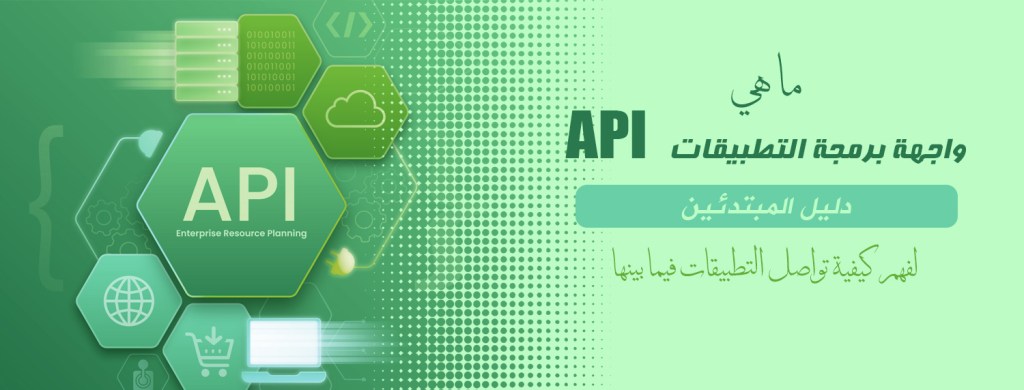
؟ (API) ما هي واجهة برمجة التطبيقات
دليل المبتدئين لفهم كيفية تواصل التطبيقات فيما بينها
(APIs) أنت تستخدم واجهات برمجة التطبيقات
يومياً دون أن تدرك ذلك
تخيل أنك تفتح تطبيقاً للطقس على هاتفك، تُدخل اسم مدينتك وفي غضون ثوانٍ تظهر لك درجة الحرارة الحالية ونسبة الرطوبة وسرعة الرياح وتوقعات الطقس، ولكن من أين جاءت هذه المعلومات؟
من المرجح ألا يمتلك تطبيق الطقس شبكة خاصة به من محطات الرصد الجوي المنتشرة حول العالم، بل إنه يتواصل مع خدمة تتولى جمع بيانات الطقس وتوفيرها، يرسل التطبيق طلباً فتقوم الخدمة بمعالجته ثم تعود المعلومات ذات الصلة إلى التطبيق
API غالباً ما تتم عملية التواصل هذه عبر ما يُعرف بـ
“Application Programming Interface” وهو اختصار للمصطلح الإنجليزي
(أي واجهة برمجة التطبيقات)
قد يبدو الاسم معقداً أو مخيفاً لكن الفكرة الجوهرية بسيطة للغاية، فواجهة برمجة التطبيقات هي وسيلة منظمة تتيح لبرنامج ما طلب معلومات أو تنفيذ إجراء باستخدام برنامج آخر، إنها تعمل كجسر يربط بين الأنظمة التي تحتاج إلى التواصل دون أن يتطلب الأمر من أحد النظامين فهم كافة التفاصيل الداخلية للنظام الآخر
بمجرد استيعاب هذا المفهوم الأساسي يصبح فهم جزء كبير من التكنولوجيا الحديثة أمراً يسيراً، إذ تعتمد مواقع الويب وتطبيقات الهواتف المحمولة وأنظمة الدفع والخرائط وشبكات التواصل الاجتماعي والمنصات السحابية وحتى العديد من أدوات الذكاء الاصطناعي بشكل كبير على واجهات برمجة التطبيقات
(API) تخيل واجهة برمجة التطبيقات
كنادل في مطعم
من أسهل الطرق لفهم واجهة برمجة التطبيقات هي تخيل نفسك جالساً في مطعم
أنت تنظر إلى قائمة الطعام وتقرر ما تريد ثم تبلغ النادل بطلبك، يأخذ النادل الطلب إلى المطبخ حيث يتم إعداد الطعام ثم يعود إليك بالوجبة الجاهزة
أنت لا تدخل إلى المطبخ لتبدأ في طهي الطعام بنفسك بل تكتفي بإيصال ما تريده عبر النادل
تعمل واجهة برمجة التطبيقات بطريقة مشابهة
تطبيقك هو الزبون وواجهة برمجة التطبيقات هي النادل أما الخادم (السيرفر) أو الخدمة التي توفر المعلومات فهي المطبخ
يرسل تطبيقك طلباً عبر واجهة برمجة التطبيقات فيقوم الخادم بمعالجة الطلب وإرسال الرد مرة أخرى عبر الواجهة نفسها النقطة المهمة هنا هي أن تطبيقك لا يحتاج إلى معرفة كيفية عمل النظام الآخر داخلياً فكل ما يحتاجه هو معرفة كيفية التواصل مع واجهة برمجة التطبيقات الخاصة بذلك النظام، يُعد هذا الفصل أحد الأسباب التي تمنح
قوتها الكبيرة (APIs) واجهات برمجة التطبيقات
ما الذي يحدث فعلياً عند استخدام واجهة برمجة التطبيقات؟
لنُوضّح الأمر بمثال ملموس
لنفترض أنك بصدد بناء تطبيق بسيط للطقس وتريد من المستخدمين إدخال اسم المدينة للحصول على درجة الحرارة الحالية،
يمكن لتطبيقك إرسال طلب إلى واجهة برمجة تطبيقات خاصة بالطقس للحصول على معلومات حول مدينة نيويورك
:من الناحية المفاهيمية قد يبدو الطلب على النحو التالي
GET /weather?city=NewYork
تتلقى خدمة الطقس الطلب وتعثر على المعلومات ذات الصلة ثم ترسل رداً
:قد يبدو الرد المبسّط على النحو التالي
{ "city": "New York", "temperature": 24, "condition": "Sunny"}
بعد ذلك يأخذ تطبيقك هذه المعلومات ويحولها إلى واجهة جذابة بصرياً
نيويورك
24 درجة مئوية
مشمس
يرى المستخدم واجهة بسيطة لعرض حالة الطقس ولكن خلف الكواليس تكون عدة أنظمة قد تواصلت فيما بينها
يُعد هذا أحد الأنماط الأساسية التي تقوم عليها البرمجيات الحديثة
واجهات برمجة التطبيقات ليست مقتصرة على جلب البيانات فقط
من المفاهيم الخاطئة الشائعة لدى المبتدئين الاعتقاد
(APIs) بأن واجهات برمجة التطبيقات
هي مجرد أدوات لاسترجاع المعلومات
صحيح أنها قادرة على استرجاع المعلومات لكنها تتيح أيضاً للتطبيقات إنشاء المعلومات أو تحديثها أو حذفها فضلاً عن تنفيذ عمليات متنوعة تخيل تطبيقاً للتسوق عبر الإنترنت، فقد يستخدم هذا التطبيق واجهات برمجة التطبيقات لجلب معلومات المنتجات وإنشاء حساب جديد للعميل وإضافة سلعة إلى عربة التسوق وإرسال الطلب ومعالجة عملية الدفع وجلب معلومات الشحن
كيفية حدوث هذه التفاعلات (API) وتحدد واجهة برمجة التطبيقات
على سبيل المثال: قد يقوم التطبيق بإرسال
GET /products
لاسترجاع المنتجات
:وقد تستخدم
POST /orders
لإنشاء طلب جديد
:ويمكن أن تستخدم
PUT /profile
لتحديث ملف تعريف العميل
:وقد تستخدم أيضاً
DELETE /cart/item/123
لإزالة عنصر من عربة التسوق
HTTP تستخدم هذه الأمثلة طرق
التي يواجهها المطورون باستمرار عند العمل
(Web APIs) مع واجهات برمجة تطبيقات الويب
؟ (REST API) ما هي واجهة برمجة التطبيقات
إذا قضيت ولو وقتاً قصيراً في القراءة عن واجهات برمجة التطبيقات
REST فمن المحتمل أنك صادفت مصطلح
REST يرمز اختصار
“Representational State Transfer” إلى
نقل حالة التمثيل
وهو نمط معماري لتصميم التطبيقات التي تعمل عبر الشبكة
“REST API” في مجال تطوير البرمجيات تشير عبارة
عادةً إلى واجهة برمجة تطبيقات
(resources) تتيح الوصول إلى الموارد
(endpoints) عبر نقاط نهاية
HTTP تعتمد بروتوكول
HTTP وتستخدم طرق
:القياسية مثل
GET و POST و PUT و PATCH و DELETE
لنتخيل موقعاً إلكترونياً يحتوي على معلومات حول الكتب
: قد تجد نقطة نهاية مثل
GET /books
لجلب جميع الكتب
:ويمكنك إرسال طلب مثل
GET /books/25
لجلب الكتاب رقم 25
: كما يمكن إنشاء كتاب جديد باستخدام
POST /books
:بينما يمكن تحديث كتاب موجود بالفعل عبر
PUT /books/25
تختلف طريقة التنفيذ الدقيقة من واجهة برمجة تطبيقات لأخرى، لكن الفكرة الجوهرية تكمن
HTTP وعمليات URL في أن عناوين
المختلفة تمثل تفاعلات مختلفة مع الموارد
شعبية هائلة REST لقد اكتسب نمط
لأنه يتوافق بشكل طبيعي مع التقنيات المستخدمة بالفعل في شبكة الويب
في كل مكان؟ JSON لماذا نرى تنسيق
عندما تتواصل التطبيقات فيما بينها عبر واجهات برمجة التطبيقات فإنها تحتاج إلى تنسيق مشترك لتبادل المعلومات
أحد أكثر هذه التنسيقات شيوعاً JSON يُعد
“JavaScript Object Notation” وهو اختصار لـ
(تدوين كائنات جافا سكريبت)
JSON ورغم اسمه لا يقتصر استخدام
على لغة جافا سكريبت فهو مدعوم على نطاق واسع من قبل لغات البرمجة المختلفة في قطاع تطوير البرمجيات
:بهذا الشكل JSON قد تبدو استجابة
{"name": "Sarah","age": 29,"country": "Canada"}
يمكن للمبرمج قراءة هذا الهيكل بسهولة ومعالجته داخل التطبيق
على سبيل المثال: يمكن لموقع إلكتروني
وعرض البيانات كالتالي JSON استقبال استجابة
Sarah
Age: 29
Country: Canada
يُعد هذا الفصل بين البيانات وطريقة عرضها أمراً مفيداً للغاية، إذ توفر واجهة برمجة التطبيقات معلومات منظمة، بينما يقرر التطبيق كيفية ظهور تلك المعلومات للمستخدم
تقف واجهات برمجة التطبيقات وراء العديد من الميزات التي تعرفها بالفعل
فكّر في عملية تسجيل الدخول إلى موقع إلكتروني باستخدام حساب جوجل الخاص بك
لا يحتاج الموقع إلى إنشاء نظام هوية مستقل تماماً من الصفر، إذ يمكنه التكامل مع خدمات المصادقة الخاصة بجوجل عبر تقنيات وواجهات برمجة تطبيقات مُعدّة مسبقاً
فكّر في طلب رحلة عبر تطبيق للنقل، فقد يحتاج التطبيق إلى خرائط وخدمات تحديد الموقع ومعالجة المدفوعات والإشعارات وأنظمة خارجية أخرى
فكّر في شراء سلعة عبر الإنترنت باستخدام بطاقة ائتمان، فقد يتواصل المتجر مع مزود خدمة الدفع عبر واجهة برمجة تطبيقات بدلاً من بناء بنية تحتية كاملة للدفع بنفسه
فكّر في تطبيق يعرض خريطة، فبدلاً من تطوير بنية تحتية عالمية للخرائط من الصفر يمكن للمطورين دمج خدمات الخرائط عبر واجهات برمجة التطبيقات
وهكذا أصبحت البرمجيات الحديثة تشبه إلى حد كبير منظومة متكاملة من الخدمات المترابطة بدلاً من كونها برنامجاً ضخماً واحداً
وتُعد واجهات برمجة التطبيقات إحدى الآليات التي تتيح لتلك الخدمات التعاون فيما بينها
واجهات برمجة التطبيقات والذكاء الاصطناعي
لقد أدى صعود الذكاء الاصطناعي التوليدي إلى زيادة بروز واجهات برمجة التطبيقات في نظر المطورين
لنفترض أنك تنشئ موقعاً إلكترونياً يتيح للزوار طرح سؤال والحصول على إجابة يولدها الذكاء الاصطناعي، فبدلاً من تدريب واستضافة نموذج لغوي ضخم خاص بك يمكن لتطبيقك التواصل مع مزود لخدمات الذكاء الاصطناعي عبر واجهة برمجة تطبيقات
: تتسم آلية العمل الأساسية بالبساطة من حيث المفهوم
User ↓Your Website ↓AI API ↓AI Model ↓AI API ↓Your Website ↓User
يكتب المستخدم سؤالاً فيرسل تطبيقك ذلك الطلب إلى خدمة الذكاء الاصطناعي، تقوم الخدمة بمعالجة الطلب باستخدام نموذج ذكاء اصطناعي وتعيد الرد المُولَّد ثم يقوم تطبيقك بعرض ذلك الرد
وهذا أحد الأسباب التي جعلت واجهات برمجة التطبيقات تكتسب أهمية خاصة في عصر الذكاء الاصطناعي، فهي تتيح للمطورين دمج قدرات متطورة في تطبيقاتهم دون الحاجة بالضرورة إلى بناء كل تقنية أساسية بأنفسهم
؟ (API Key) ما هو مفتاح واجهة برمجة التطبيقات
قد تصادف في مرحلة ما مصطلح
(API key) “مفتاح واجهة برمجة التطبيقات”
يُعد هذا المفتاح بمثابة بيانات اعتماد يستخدمها مُقدِّم الخدمة للتعرف على التطبيق الذي يُجري الطلبات ومنحه صلاحية الوصول
تخيل شركة توفر واجهة برمجة تطبيقات لآلاف المطورين، فستحتاج الشركة إلى وسيلة للتمييز بين التطبيقات وفرض قيود على الاستخدام ومراقبة النشاط وربط الاستخدام بحساب معين، وهنا يأتي دور مفتاح واجهة برمجة التطبيقات للمساعدة في تحقيق هذه الأهداف
: من الناحية المفاهيمية قد يحتوي الطلب على صيغة تشبه ما يلي
Authorization: Bearer YOUR_API_KEY
وتجدر الإشارة إلى أن طريقة المصادقة الفعلية تعتمد على واجهة برمجة التطبيقات نفسها من القواعد المهمة للمبتدئين أن مفاتيح واجهة برمجة التطبيقات يجب أن تُعامل عموماً كمعلومات سرية، فلا ينبغي نشر المفاتيح الخاصة بلا مبالاة في الكود المصدري أو لقطات الشاشة أو المستودعات العامة
(client-side applications) أو التطبيقات التي تعمل من جهة العميل
إذا كان مُقدِّم الخدمة يتوقع بقاءها سرية فقد يؤدي تسريب المفتاح إلى السماح باستخدام الخدمة المرتبطة به دون تصريح
في واجهة برمجة التطبيقات؟ (Endpoint) ما هي نقطة النهاية
” (Endpoint) مصطلح آخر ستصادفه كثيراً هو ” نقطة النهاية
تُعد نقطة النهاية في جوهرها موقعاً محدداً تتيح من خلاله واجهة برمجة التطبيقات الوصول إلى عملية أو مورد معين
: تخيل متجراً إلكترونياً يحتوي على عدة نقاط نهاية لواجهة برمجة التطبيقات
/api/products/api/products/25/api/orders/api/customers
يمكن أن تمثل نقاط النهاية هذه موارد مختلفة داخل النظام
يمكنك تصور واجهة برمجة التطبيقات كمجموعة من الأبواب، حيث تمثل كل نقطة نهاية باباً مخصصاً لنوع معين من التفاعل لا يقوم المطور بإرسال طلبات عشوائية إلى واجهة برمجة التطبيقات
نقاط النهاية المتاحة API إذ توضح وثائق الـ
والمعلومات المطلوبة والطرق المدعومة والاستجابات التي يتم إرجاعها
وثائق واجهة برمجة التطبيقات هي دليلك الإرشادي
يمكن أن تُحدث الوثائق الجيدة لواجهة برمجة التطبيقات فرقاً كبيراً بين تجربة تطوير محبطة وأخرى تتسم بالسهولة والوضوح بشكل مدهش
عادةً ما تشرح هذه الوثائق نقاط النهاية المتاحة والمعاملات المطلوبة وطرق المصادقة وتنسيقات الطلبات وهياكل الاستجابة ورسائل الخطأ وقيود الاستخدام بالإضافة إلى تقديم أمثلة عملية
:على سبيل المثال: قد توثّق واجهة برمجة التطبيقات طلباً مثل
GET /users/123
وتوضّح أنه يُعيد معلومات حول المستخدم رقم 123
: ثم قد تعرض الاستجابة المتوقعة
{"id": 123,"name": "John","email": "john@example.com"}
بمجرد أن تفهم كيفية قراءة وثائق واجهة برمجة التطبيقات يمكنك البدء في تجربة الخدمات التي قد تبدو معقدة في البداية
تُعد هذه محطة هامة لأي شخص يتعلم البرمجة، إذ تتوقف عن النظر إلى واجهة برمجة التطبيقات باعتبارها تقنية غامضة وتبدأ في التعامل معها كواجهة موثّقة
مثال بسيط من الواقع
لنفترض أنك ترغب في إنشاء موقع إلكتروني يعرض معلومات عن الأفلام
فلا يحتاج موقعك بالضرورة إلى تخزين بيانات كل فيلم في قاعدة بيانات خاصة به، بل يمكنك بدلاً من ذلك استخدام واجهة برمجة تطبيقات مخصصة للأفلام
“Inception” عندما يبحث زائر عن فيلم يحمل اسم
:يقوم تطبيقك بإرسال طلب يشبه التالي
GET /movies?title=Inception
: وقد تعيد واجهة برمجة التطبيقات استجابةً مثل
{"title": "Inception","year": 2010,"genre": "Science Fiction","rating": 8.8}
يأخذ موقعك هذه القيم ويعرضها وفقاً لتصميمه الخاص
: لاحظ أمراً مهماً هنا
توفر واجهة برمجة التطبيقات البيانات والوظائف، بينما يتحكم تطبيقك في كيفية تفاعل المستخدم مع تلك المعلومات
يمنح هذا التمييز المطورين مرونة هائلة
يمكن لواجهات برمجة التطبيقات أن توفر على المطورين سنوات من العمل
تخيل أنك بصدد بناء تطبيق جديد للسفر
ستحتاج إلى خرائط وبيانات للمواقع الجغرافية ونظام لمعالجة المدفوعات، وقد تحتاج أيضاً إلى ميزات مثل تحويل العملات ومعلومات الطقس وإشعارات البريد الإلكتروني ونظام للمصادقة وربما حتى توصيات تعتمد على الذكاء الاصطناعي
إن بناء كل نظام من هذه الأنظمة بشكل مستقل سيتطلب قدراً هائلاً من الوقت والخبرة والبنية التحتية والمال
تتيح واجهات برمجة التطبيقات للمطورين إعادة استخدام قدرات موجودة بالفعل، فبدلاً من إعادة بناء منصة خرائط متطورة يمكنك دمج خدمة خرائط جاهزة، وبدلاً من إنشاء بنية تحتية كاملة للمدفوعات يمكنك الاتصال بمزود خدمة دفع وبدلاً من بناء نموذج لغوي ضخم يمكنك التواصل مع خدمة ذكاء اصطناعي
تُعد هذه إحدى المزايا الاقتصادية الجوهرية لواجهات برمجة التطبيقات : إذ يمكن بناء البرمجيات من خلال تجميع قدرات قابلة لإعادة الاستخدام
وهكذا يمكن للمطور التركيز على القيمة الفريدة للمنتج بدلاً من إعادة بناء كل جزء من البنية التحتية الأساسية له
ماذا يحدث عند فشل طلب واجهة برمجة التطبيقات ؟
بالطبع، لا تعمل واجهات برمجة التطبيقات بشكل مثالي دائماً قد يفشل الطلب لأسباب متعددة مثل إدخال المستخدم لمعلومات غير صالحة
غير صحيح API أو استخدام مفتاح
أو عدم وجود المورد المطلوب أو تجاوز التطبيق لحد الاستخدام المسموح به أو تعطل الخدمة الخارجية مؤقتاً
HTTP (HTTP status codes) وهنا تبرز أهمية رموز حالة
: على سبيل المثال عادةً ما يُسفر الطلب الناجح عن حالة مثل
200 OK
: أما الطلب المتعلق بشيء غير موجود فقد يؤدي إلى
404 Not Found
: وقد تنتج عن مشكلة في المصادقة الحالة التالية
401 Unauthorized
: كما قد تؤدي مشكلة من جانب الخادم إلى
500 Internal Server Error
يستخدم المطورون هذه الردود لتحديد ما حدث وكيف ينبغي لتطبيقاتهم أن تتعامل مع الموقف
لذا لا ينبغي للتطبيق المصمم جيداً أن يفترض ببساطة أن كل طلب لواجهة برمجة التطبيقات سيُكلل بالنجاح
لقد غيّرت واجهات برمجة التطبيقات طريقة بناء البرمجيات
تتضح الأهمية الأعمق لواجهات برمجة التطبيقات عند النظر إلى قطاع التكنولوجيا الحديث ككل
نادراً ما تكون التطبيقات الضخمة أنظمة معزولة تماماً، فهي غالباً ما تتواصل مع قواعد البيانات ومنصات المصادقة والبنية التحتية السحابية ومعالجات الدفع وأنظمة التحليل ومنصات الاتصال وخدمات الذكاء الاصطناعي وغيرها الكثير من المكونات
توفر واجهات برمجة التطبيقات واجهات موحدة تتيح لهذه المكونات التفاعل فيما بينها
كما يدعم هذا النهج مبدأ التخصص، إذ يمكن لشركة ما أن تتميز بشكل استثنائي في مجال المدفوعات بينما تتخصص أخرى في الخرائط وتبني شركة ثالثة نماذج قوية للذكاء الاصطناعي، وبعد ذلك يمكن للمطورين دمج هذه القدرات لابتكار منتجات مختلفة تماماً
ولهذا السبب تُعد واجهة برمجة التطبيقات أكثر من مجرد تفصيل تقني، إنها جزء من البنية التي تتيح للنظام البيئي البرمجي الحديث أن يعمل
هل تحتاج إلى أن تكون مبرمجاً لفهم واجهات برمجة التطبيقات؟
لا
لست بحاجة لأن تصبح مهندس برمجيات محترفاً لتستوعب هذا المفهوم
: على المستوى الأساسي تذكر ما يلي
تسمح واجهة برمجة التطبيقات لنظام برمجي بالتواصل مع نظام آخر وفقاً لمجموعة محددة من القواعد
إذا تعلمت البرمجة لاحقاً فستواجه واجهات برمجة التطبيقات باستمرار، وإذا كنت تعمل في مجالات تصميم المنتجات أو تطوير الويب أو الأتمتة أو الأمن السيبراني أو تحليل البيانات أو الذكاء الاصطناعي فإن فهم هذه الواجهات سيجعل النقاشات التقنية أسهل بكثير
أما إذا كان دافعك هو مجرد الفضول لمعرفة كيفية عمل التكنولوجيا فإن واجهات برمجة التطبيقات توفر نافذة ممتازة للاطلاع على البنية الخفية التي تكمن وراء التطبيقات التي تستخدمها يومياً
الصورة الأكبر
في المرة القادمة التي تفتح فيها تطبيقاً للطقس أو تسجل الدخول باستخدام حساب على شبكة اجتماعية أو تشتري شيئاً عبر الإنترنت أو تستعرض خريطة أو ترسل رسالة أو تتفاعل مع تطبيق يعتمد على الذكاء الاصطناعي، تذكر أن ما يبدو تجربة سلسة وموحدة قد ينطوي في الواقع على تواصل بين أنظمة مستقلة متعددة خلف الكواليس، وتجعل واجهات برمجة التطبيقات الكثير من عمليات التواصل هذه ممكنة
المفهوم بحد ذاته ليس معقداً كما توحي المصطلحات المرتبطة به، إذ يرسل أحد التطبيقات طلباً فيعالجه نظام آخر ثم تعود الاستجابة عبر واجهة محددة، وبمجرد فهم هذه الدورة الأساسية تبدأ مصطلحات مثل
(endpoints) “نقاط النهاية”
(authentication) والمصادقة JSON و
API ومفاتيح HTTP وطرق REST و
في تشكيل صورة أوضح بكثير، ولعل هذه هي الطريقة الأنسب لتصور واجهات برمجة التطبيقات : فهي تمثل طبقة التواصل التي تتيح لمكونات برمجية مختلفة العمل معاً دون الحاجة إلى معرفة كل التفاصيل عن بعضها البعض
وتُشكّل هذه الفكرة البسيطة ركيزةً أساسيةً لجزءٍ هائلٍ من العالم الرقمي









You must be logged in to post a comment.