

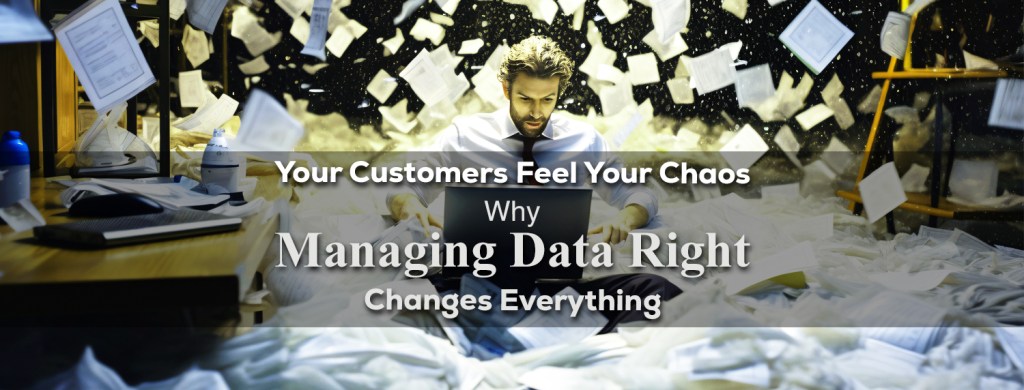
When a customer reaches out with a question — “Where’s my order?” or “Can you update my subscription?” — the speed and accuracy of your response can make or break their loyalty. For small businesses, efficient data management isn’t just an operational nice-to-have; it’s the difference between repeat buyers and one-time visitors.
TL;DR
Effective data management enables your team to locate the right information faster, respond to customers more promptly, and reduce errors. Organize, secure, and unify your customer data to boost satisfaction and loyalty — and protect your reputation.
The Customer Chaos Problem
Every small business eventually hits this wall:
- Customer details live in five different spreadsheets.
- Sales records don’t match inventory.
- Email systems and CRM tools don’t talk to each other.
When data gets messy, response times slow down. Customers notice. And once trust erodes, it’s hard to rebuild.
How to Streamline Your Customer Data
- Centralize everything — use one hub to connect sales, support, and inventory data.
- Automate updates — sync tools like HubSpot or Zoho CRM for real-time records.
- Establish access levels — protect sensitive data with user roles.
- Set review routines — audit your data monthly for duplicates or errors.
- Document workflows — keep a simple record of where each dataset lives.
Data Management in Action
Let’s visualize how smart data handling improves customer service outcomes:
| Step | Example | Result |
| Collect | Integrate customer purchase history | Support team sees order details instantly |
| Organize | Tag data by customer stage | Personalized responses at every touchpoint |
| Secure | Encrypt stored info | Builds customer trust |
| Analyze | Spot repeat issues | Prevents future complaints |
| Share | Team dashboards | Collaboration without chaos |
Strong Foundations with Data Governance
Behind every efficient service operation lies responsible data governance — the discipline that keeps information accurate, protected, and organized. When businesses embed governance into daily systems and workflows, data becomes a growth engine. Without it, small companies risk security gaps, compliance missteps, and unnecessary inefficiencies that frustrate customers and staff alike.
FAQs
Q1: Isn’t this just for large enterprises?
No — small businesses benefit even more because they rely on agility. Good data practices let you compete with bigger players.
Q2: What tools are affordable for small teams?
Look at Trello, Airtable, or ClickUp for simple, scalable management.
Q3: How often should I back up my customer data?
Weekly at minimum, daily for businesses with frequent transactions.
Q4: What’s the first step if my data is a mess?
Start by cleaning one dataset — your customer list. Merge duplicates and fill in missing fields.
Pro Tip: Spotlight — Microsoft Power BI
If you’re tracking customer trends, Microsoft Power BI can turn raw sales or feedback data into clear visuals that reveal hidden service patterns. A few hours of setup can pay off in months of insight.
Simple Checklist: Is Your Data Helping or Hurting?
☐ Can you find any customer’s info in under a minute?
☐ Is your data stored securely and backed up regularly?
☐ Do your systems sync automatically across departments?
☐ Are you tracking customer feedback trends?
☐ Have you trained your staff on privacy best practices?
If you can’t check all five, your data might be slowing you down.
Glossary
- CRM (Customer Relationship Management): Software that stores and tracks customer interactions.
- Data Governance: Policies ensuring data is accurate, secure, and properly used.
- Centralization: Combining data from different tools into one location.
- Encryption: A method of protecting data by converting it into unreadable code.
- Workflow: The series of tasks that complete a process or service cycle.
Bonus: Resource Roundup for Small Businesses
- Google Workspace — unified tools for communication and file management.
- Monday.com — visual project and data tracking.
- Slack — team collaboration with searchable data threads.
- Notion — great for internal documentation.
- Dropbox Business — secure file sharing and backup.
- Tableau — data visualization for customer insights.
Conclusion
Efficient data management doesn’t just save time — it builds relationships. For small businesses, that means every second counts. Organize your data, protect it, and let your team work faster and smarter. Customers will feel it — and they’ll keep coming back.
عملاؤك يشـــعرون بالفوضى التي تُحدثها
لماذا إدارة البيانات بشكل صحيح تغير كل شيء

عندما يتواصل معك عميل بسؤال : “أين طلبي؟” أو “هل يمكنك تحديث اشتراكي؟” فإن سرعة ودقة ردك قد تُعزز ولاءه أو تُضعفه، فبالنسبة للشركات الصغيرة لا تُعدّ إدارة البيانات الفعّالة مجرد ميزة تشغيلية بل هي الفرق بين المشترين المتكررين والزوار لمرة واحدة
تُمكّن إدارة البيانات الفعّالة فريقك من تحديد المعلومات الصحيحة بشكل أسرع والرد على العملاء بسرعة أكبر وتقليل الأخطاء، لذا نظّم بيانات عملائك وأمنها ووحّدها لتعزيز رضاهم وولائهم وحماية سمعتك
مشكلة فوضى العملاء
: تواجه كل شركة صغيرة في نهاية المطاف هذه المشكلة
بيانات العملاء موجودة في خمسة جداول بيانات مختلفة ●
سجلات المبيعات لا تتطابق مع المخزون ●
أنظمة البريد الإلكتروني وأدوات إدارة علاقات العملاء لا تتواصل ●
عندما تتداخل البيانات تتباطأ أوقات الاستجابة، يلاحظ العملاء ذلك وبمجرد تآكل الثقة يصعب إعادة بنائها
كيفية تبسيط بيانات عملائك
مركزية كل شيء – استخدم مركزاً واحداً لربط بيانات المبيعات والدعم والمخزون ●
HubSpot أو Zoho CRM أتمتة التحديثات – مزامنة أدوات مثل ●
للحصول على سجلات فورية
تحديد مستويات الوصول – حماية البيانات الحساسة بأدوار المستخدمين●
ضبط إجراءات المراجعة – تدقيق بياناتك شهرياً بحثاً عن أي تكرارات أو أخطاء●
توثيق سير العمل – احتفظ بسجل بسيط لمكان كل مجموعة بيانات●
إدارة البيانات عملياً
:لنتخيل كيف يُحسّن التعامل الذكي مع البيانات نتائج خدمة العملاء
| النتيجة | مثال | الخطوة |
| يطّلع فريق الدعم على تفاصيل الطلب فورًا | دمج سجل مشتريات العميل | الجمع |
| ردود مُخصصة في كل نقطة اتصال | تصنيف البيانات حسب مرحلة العميل | التنظيم |
| بناء ثقة العملاء | تشفير المعلومات المُخزنة | التأمين |
| منع الشكاوى المُستقبلية | اكتشاف المشاكل المُتكررة | التحليل |
| التعاون دون فوضى | لوحات معلومات الفريق | مشاركة |
أسس متينة مع حوكمة البيانات
تقع وراء كل عملية خدمة فعّالة حوكمة بيانات مسؤولة – وهي الانضباط الذي يُحافظ على دقة المعلومات وحمايتها وتنظيمها، فعندما تُدمج الشركات الحوكمة في أنظمتها اليومية وسير عملها تُصبح البيانات محركاً للنمو، وبدونها تُواجه الشركات الصغيرة خطر الثغرات الأمنية وأخطاء الامتثال وعدم الكفاءة غير الضرورية التي تُحبط العملاء والموظفين على حدٍ سواء
الأسئلة الشائعة
س1: أليس هذا مُخصصاً للشركات الكبيرة فقط؟
لا .. تستفيد الشركات الصغيرة أكثر لأنها تعتمد على المرونة، ممارسات البيانات الجيدة تُمكّنك من المنافسة مع الشركات الأكبر
س2: ما هي الأدوات المناسبة للفرق الصغيرة؟
Trello أو Airtable أو ClickUp انظر إلى
لإدارة بسيطة وقابلة للتطوير
س3: كم مرة يجب عليّ نسخ بيانات عملائي احتياطياً؟
أسبوعياً على الأقل، ويومياً للشركات ذات المعاملات المتكررة
س4: ما هي الخطوة الأولى إذا كانت بياناتي غير منظمة؟
ابدأ بتنظيف مجموعة بيانات واحدة – قائمة عملائك، ادمج البيانات المكررة واملأ الحقول الناقصة
Spotlight – Microsoft Power BI :نصيحة احترافية
إذا كنت تتتبع اتجاهات العملاء
تحويل بيانات المبيعات أو التعليقات الخام Microsoft Power BI يُمكن لـ
إلى صور واضحة تكشف عن أنماط الخدمة الخفية، بضع ساعات من الإعداد تُثمر عن أشهر من المعرفة المُعمّقة
قائمة تحقق بسيطة: هل بياناتك مفيدة أم ضارة؟
هل يمكنك العثور على أي معلومات عن أي عميل في أقل من دقيقة؟ ☐
هل بياناتك مُخزّنة بشكل آمن ومُنسّقة بانتظام؟ ☐
هل تُزامن أنظمتك تلقائياً بين الأقسام؟ ☐
هل تتابع اتجاهات آراء العملاء؟ ☐
هل درّبت موظفيك على أفضل ممارسات الخصوصية؟ ☐
إذا لم تتمكن من التحقق من جميع الجوانب الخمسة فقد تُبطئ بياناتك من أدائك
المصطلحات
: (CRM) إدارة علاقات العملاء ●
برنامج يُخزّن ويُتتبّع تفاعلات العملاء
حوكمة البيانات : سياسات تضمن دقة البيانات وأمانها واستخدامها بشكل صحيح ●
المركزية : جمع البيانات من أدوات مختلفة في مكان واحد ●
التشفير : طريقة لحماية البيانات بتحويلها إلى شيفرة غير قابلة للقراءة ●
سير العمل : سلسلة المهام التي تُكمل دورة عملية أو خدمة ●
مكافأة: ملخص الموارد للشركات الصغيرة
أدوات موحدة للتواصل وإدارة الملفات Google Workspace ●
تتبع مرئي للمشاريع والبيانات Monday.com ●
تعاون جماعي مع سلاسل بيانات قابلة للبحث Slack ●
رائع للتوثيق الداخلي Notion ●
مشاركة ملفات ونسخ احتياطي آمن Dropbox Business ●
تمثيل بيانات لفهم رؤى العملاء Tableau ●
الخلاصة
إدارة البيانات الفعّالة لا توفر الوقت فحسب بل تبني العلاقات أيضاً، فبالنسبة للشركات الصغيرة هذا يعني أن كل ثانية مهمة، لذا نظّم بياناتك واحمِها ودع فريقك يعمل بشكل أسرع وأذكى، سيشعر العملاء بذلك وسيستمرون في العودة إليك
 Data World
You must be logged in to post a comment.