


The pandas library in Python provides powerful tools for data manipulation and analysis. Two of the most frequently used functions are pd.read_csv() for reading CSV files and pd.to_csv() for writing DataFrames to CSV files. While these functions are widely adopted due to their simplicity and efficiency, there are scenarios where alternatives might be preferable or even necessary. This article explores why one might avoid pd.read_csv() and pd.to_csv() and what alternative methods exist, categorized by different use cases.
Why Consider Alternatives?
Some common reasons include:
- Performance issues with very large datasets.
- Data stored in other formats (Excel, JSON, SQL, etc.).
- Integration with cloud storage or databases.
- Security or compliance constraints (e.g., encryption, access control).
- Real-time or in-memory data that doesn’t involve files.
1. Alternatives to: pd.read_csv()
A. Reading from Other File Formats
a. Excel Files

b. JSON Files

c. Parquet Files (Optimized for large datasets)

d. HDF5 Format (Hierarchical Data Format)

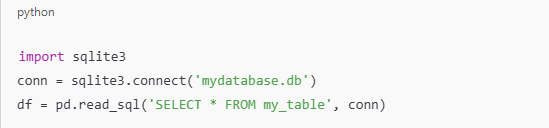
e. SQL Databases
B. Reading from In-Memory Objects
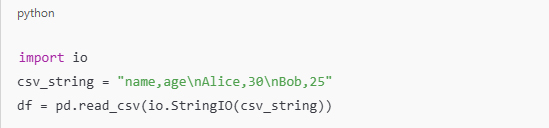
a. Reading from a String (using io.StringIO)
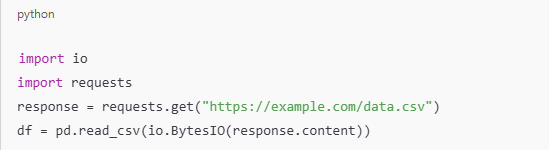
b. Reading from a Byte Stream (e.g., in web APIs)
C. Reading from Cloud Storage
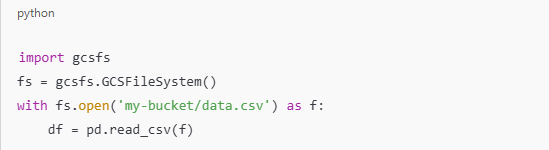
a. Google Cloud Storage (using gcsfs)
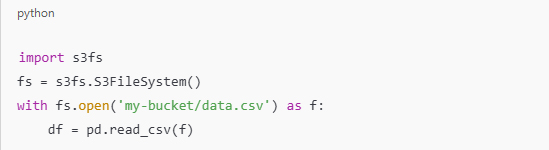
b. Amazon S3 (using s3fs)
2. Alternatives to: pd.to_csv()
A. Writing to Other File Formats
a. Excel

b. JSON

c. Parquet

d. HDF5

e. SQL Databases

B. Writing to In-Memory or Networked Destinations
a. Export to a String

b. Export to Bytes (for APIs or web)
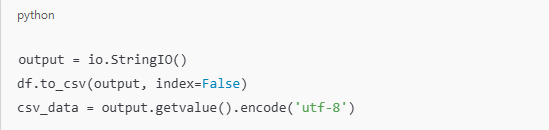
c. Save to Cloud Storage (e.g., AWS S3)

3. Alternatives Outside Pandas
If avoiding pandas entirely:
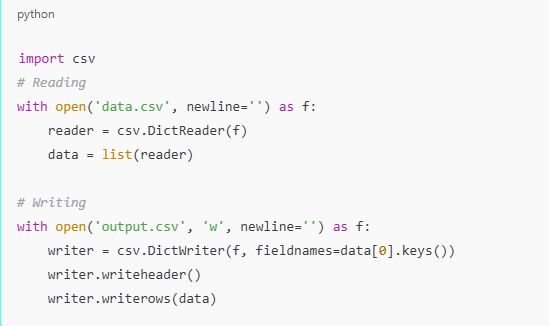
A. Use Python’s Built-in csv Module
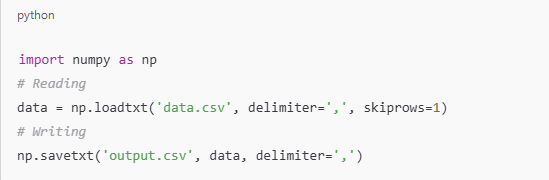
B. Use numpy for Numeric Data
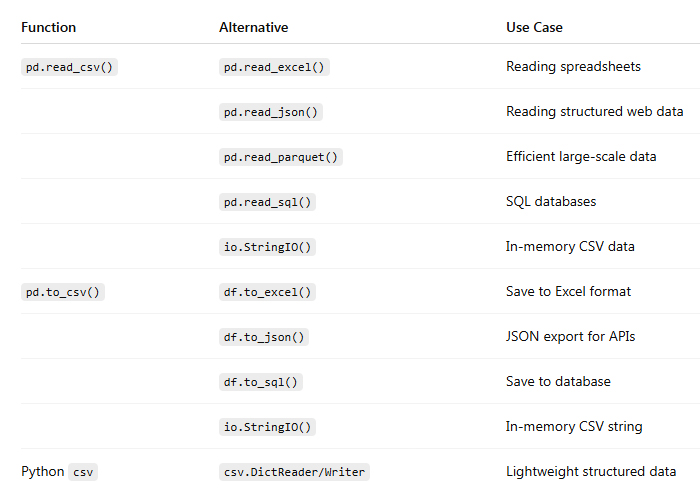
Summary Table of Alternatives
Conclusion
While pd.read_csv() and pd.to_csv() are extremely versatile, a wide range of alternatives exist to suit various needs: from handling different data formats and sources, to performance optimization and cloud integrations. By understanding the context and requirements of your data workflow, you can select the most appropriate method for reading and writing data efficiently.
 Data World